Hand-arranging parts.
- 15–30% material wasted on hand layouts
- Different thicknesses need separate layout plans
- CAD exports contain mixed geometry hard to parse
- No affordable cross-platform nesting tool exists
 CutForge
CutForge optimises part placement on foam, textile, plywood, and composite sheets — minimising waste whether you're driving a CNC table or laying out sheets by hand. Originally built for hand-cut production, where every millimetre matters.
Standalone desktop app · Windows 10+ & macOS 12+
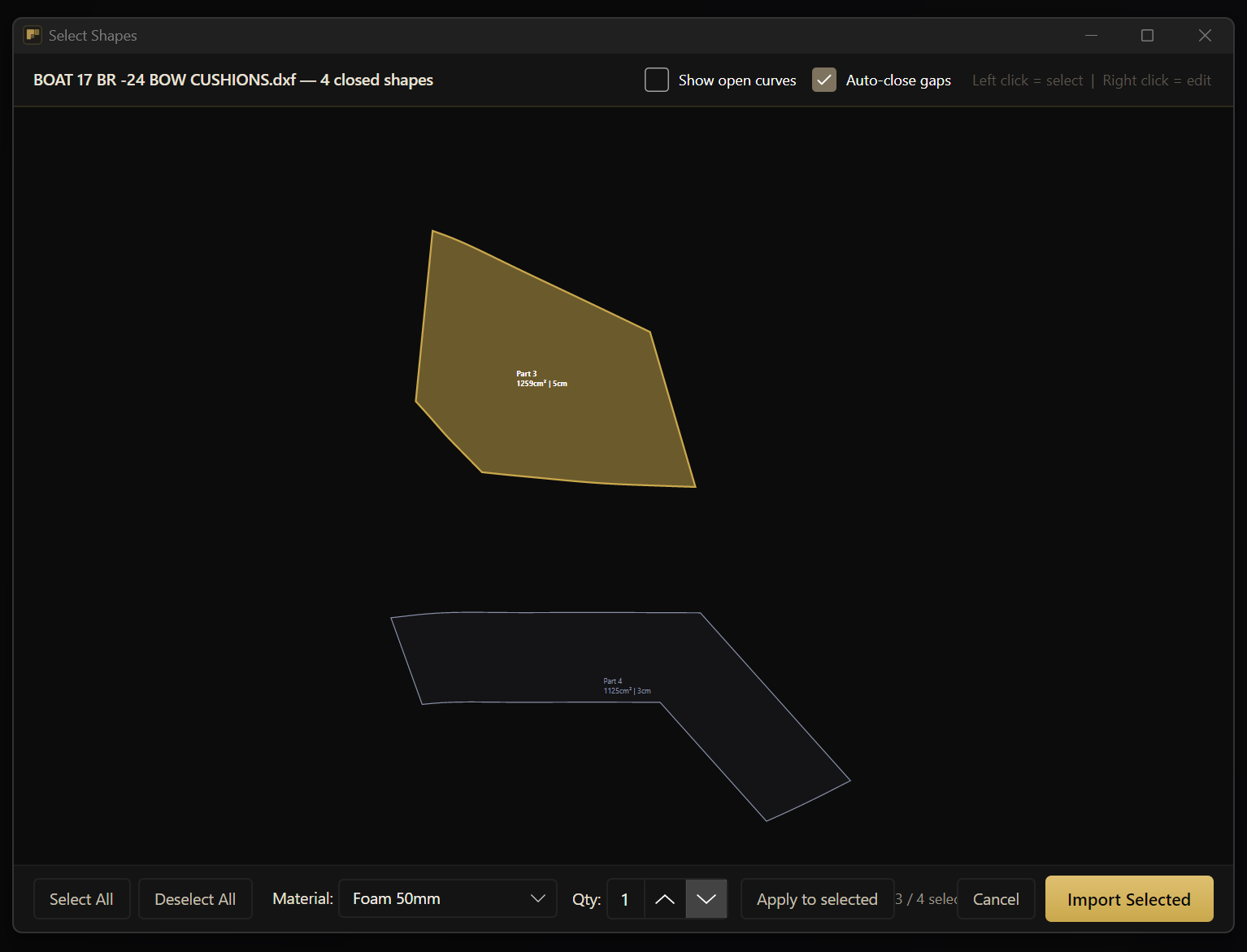
Visual shape picker — load the DXF, keep only the parts you need. Set material and quantity per part independently.
Nest onto fixed-size sheets or continuous roll stock with auto cut-line. Material library with default sizes — parts grouped by material and nested onto matching stock automatically.
Bottom-left fill with multi-iteration optimisation. Freeform or regular modes; per-part rotation lock.
Drag parts singly or in groups. Rotate 1°/5°, flip horizontally or vertically. Cut and paste between sheets. Full Undo/Redo (Ctrl+Z / Ctrl+Y). Coverage and leftover indicators update live.
Export results as DXF with thickness-based layers, or PDF with BOM summary. Save full projects as .cfp.
Dark and light theme. Six interface languages (EN, FI, DE, ES, FR, PL). Same workflow on every desktop.
Material library covers the common stock — and you can add your own. Same nesting engine, whatever the substrate.
Visual picker shows shapes in original layout.
Sheet sizes auto-fill from defaults.
Engine computes optimal placement live.
DXF for CNC, PDF for hand cutting — with bill of materials.
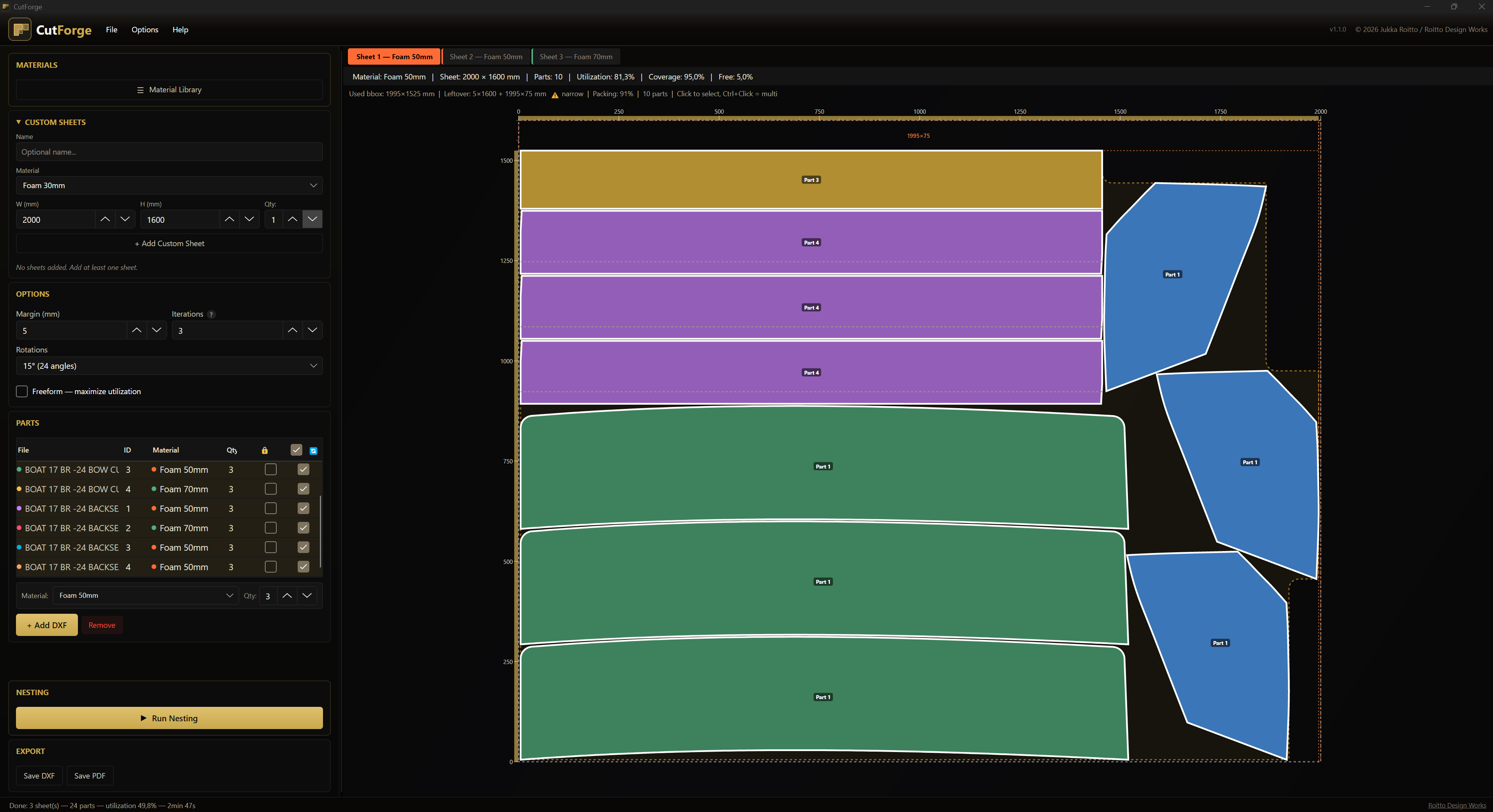
Materials, custom sheets, parts and options on the left. Live nest preview on the right. Switch between sheets, hand-tune positions, and watch the indicators update instantly.
Dark and light themes — your call.
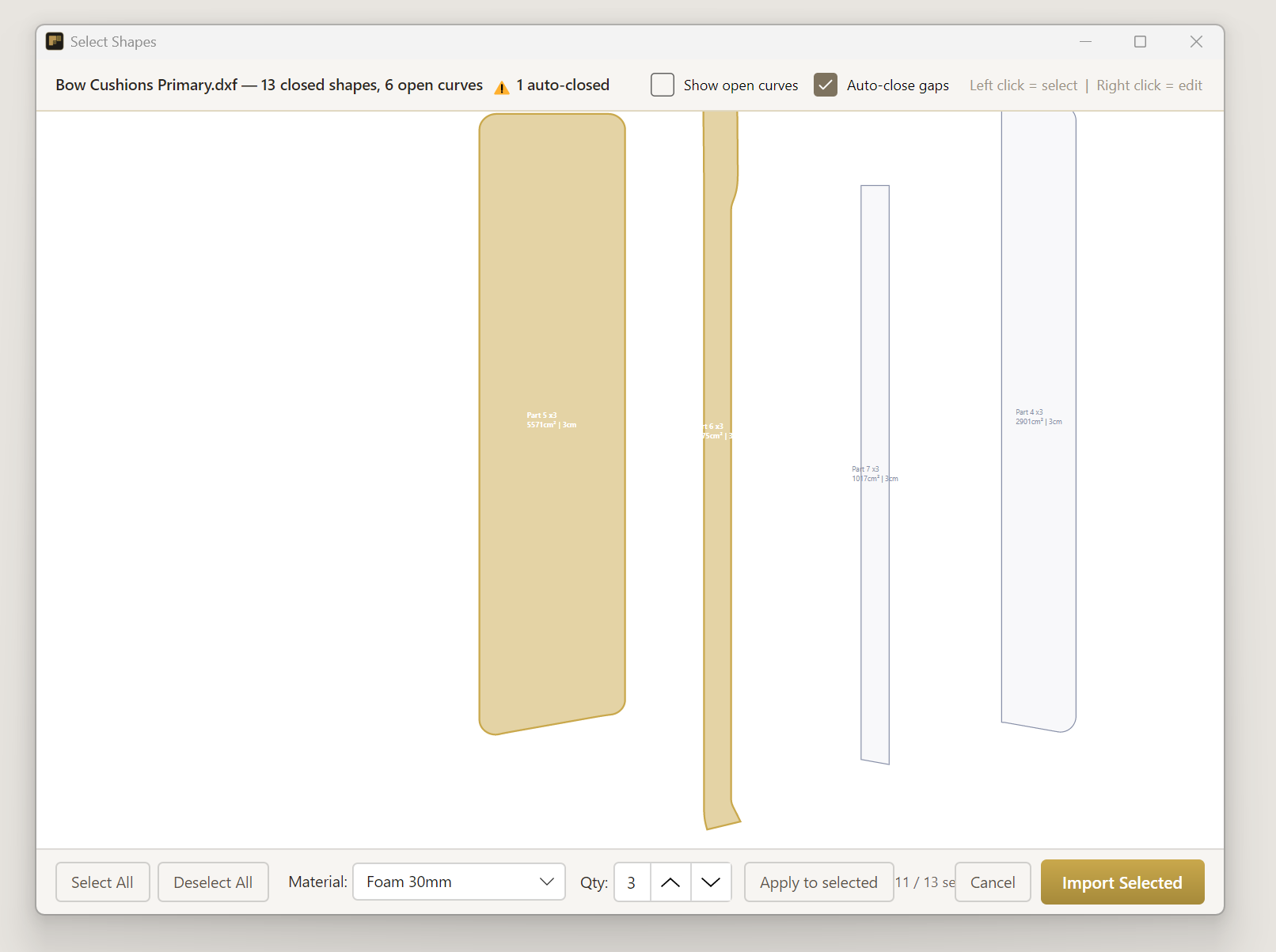
Pick only the shapes you need from a busy drawing. Open polylines are auto-closed when gaps are within tolerance, with a warning when it happens.
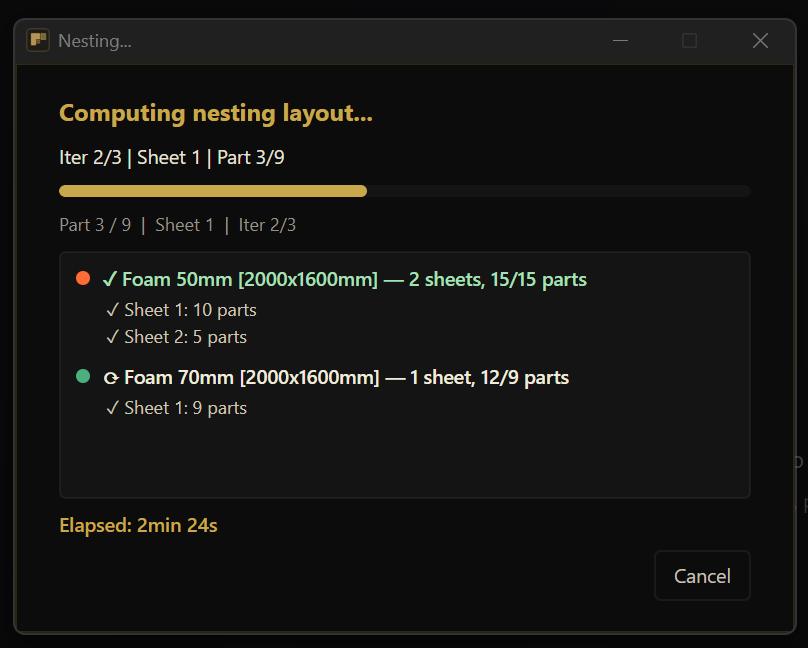
Each material group reports sheet-by-sheet, with placed-part counts updating as the engine works. Cancel at any time.
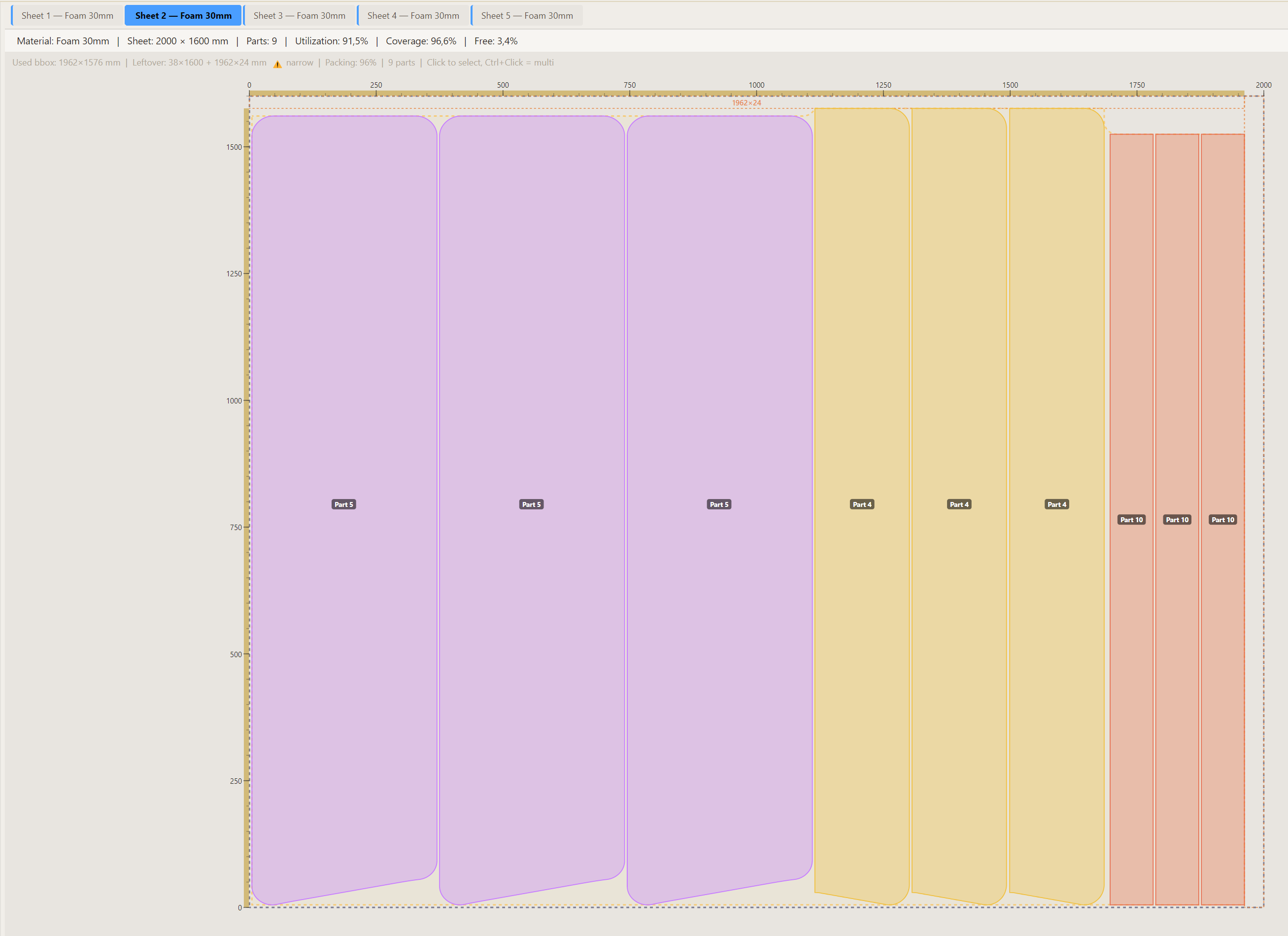
Live utilization, coverage and leftover dimensions update as you move parts. Narrow leftover strips get flagged so you don't bank on unusable scrap.
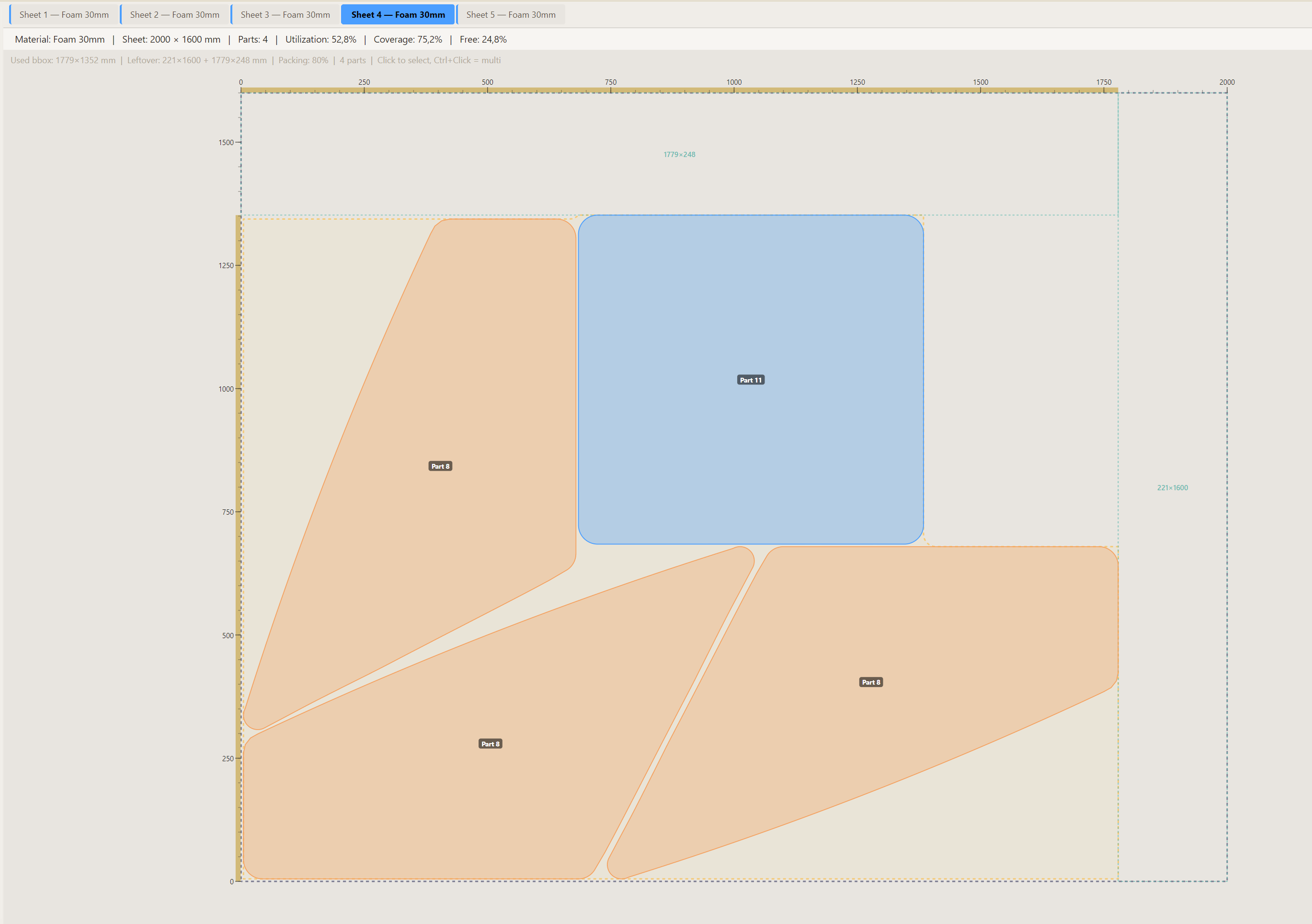
Trapezoids, L-shapes, curved cushions — multiple rotations are tried automatically. Parts can be mirrored or locked to a single orientation.
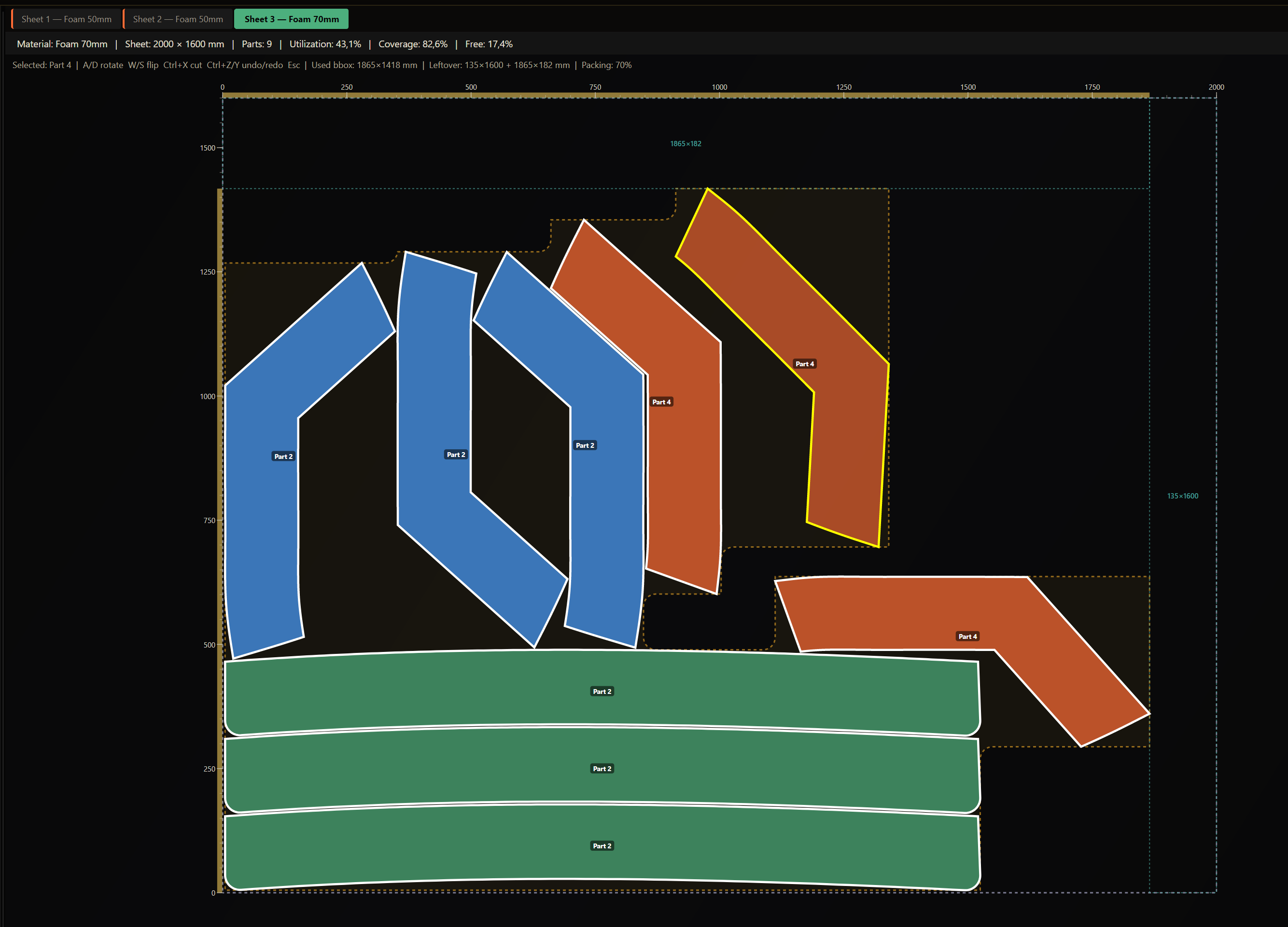
Drag, rotate, flip — single parts or groups. Cut and paste between sheets. Full Undo and Redo (Ctrl+Z / Ctrl+Y). Coverage and leftover update live as you move parts.
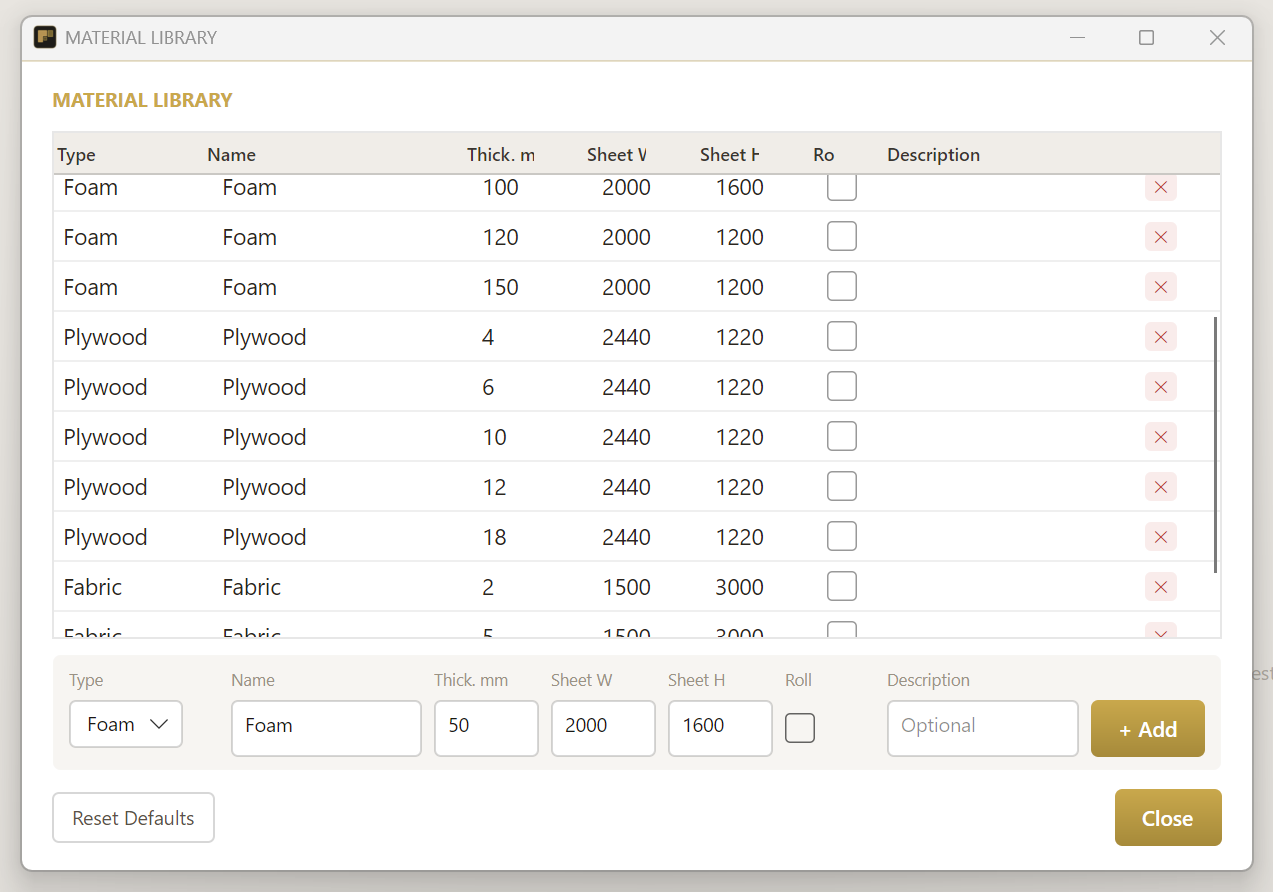
Foam, plywood, fabric, rolls — each with default sheet size and thickness. Edit inline; the library is shared across projects.
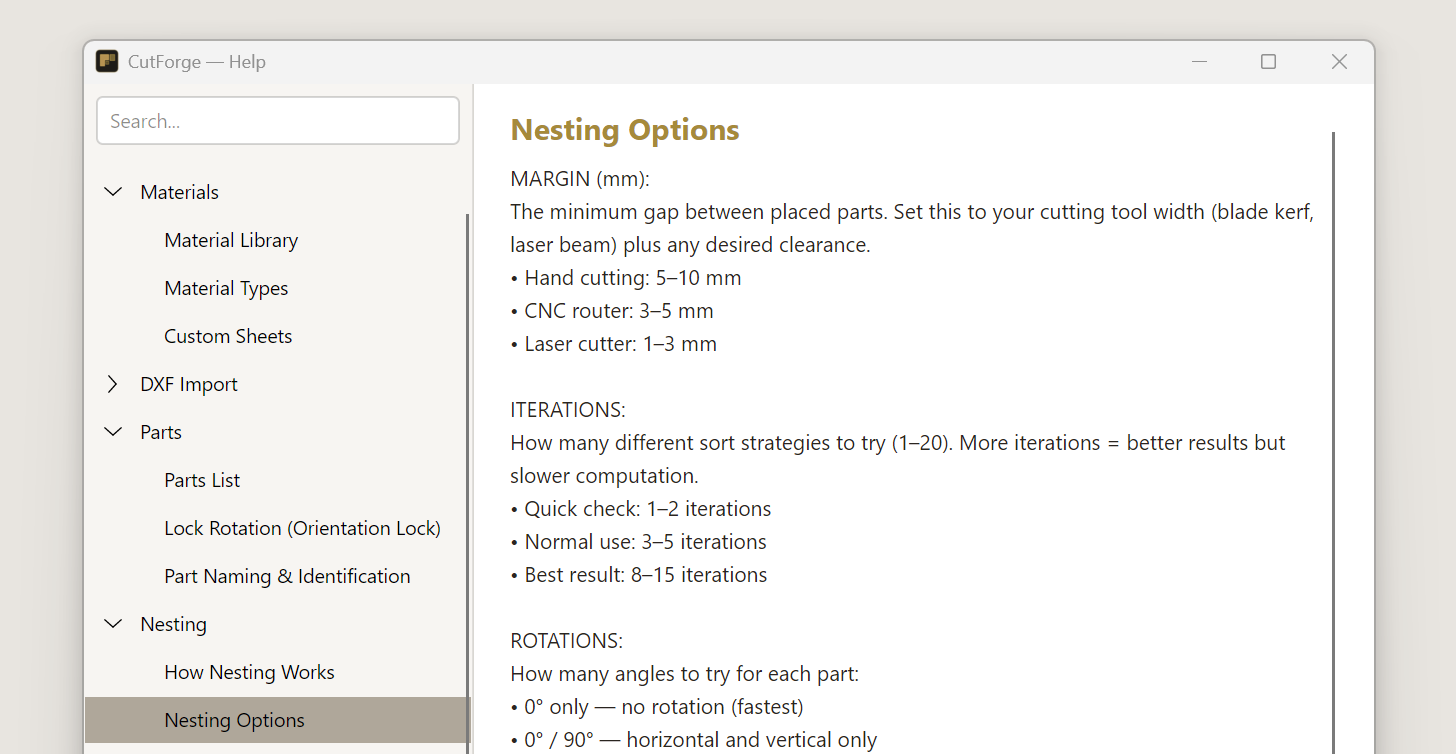
Every option documented in-app, translated into all six interface languages. No external docs site, no guesswork.
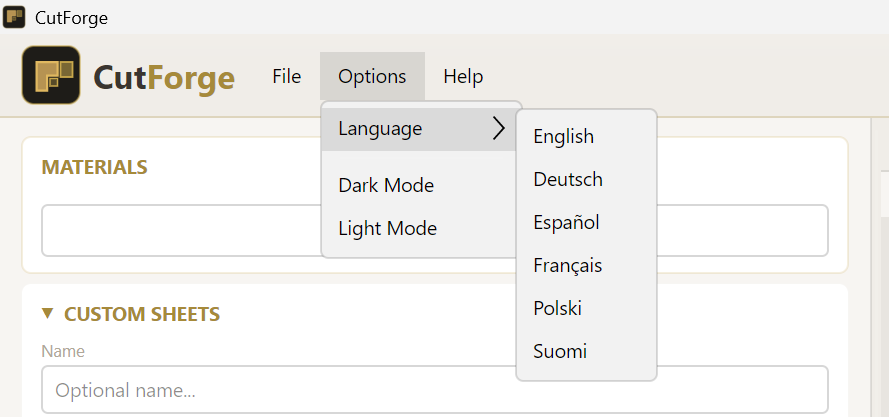
Switch between dark and light themes any time. UI translated to English, Suomi, Deutsch, Español, Français and Polski — no restart needed.
Cross-platform 2D nesting for CNC or manual cutting. Two simple plans, full features in both.
View pricing plans →14-day money-back guarantee on every purchase.
From €19/month with a 14-day money-back guarantee — or send a question first.